 Meowtenance™
Reclaim disk space
without re-downloading your packages.
Meowtenance finds the build caches, simulator data and app junk that pile up on a Mac developer's disk, shows you what each one actually costs, and lets you choose what goes — down to the individual project.
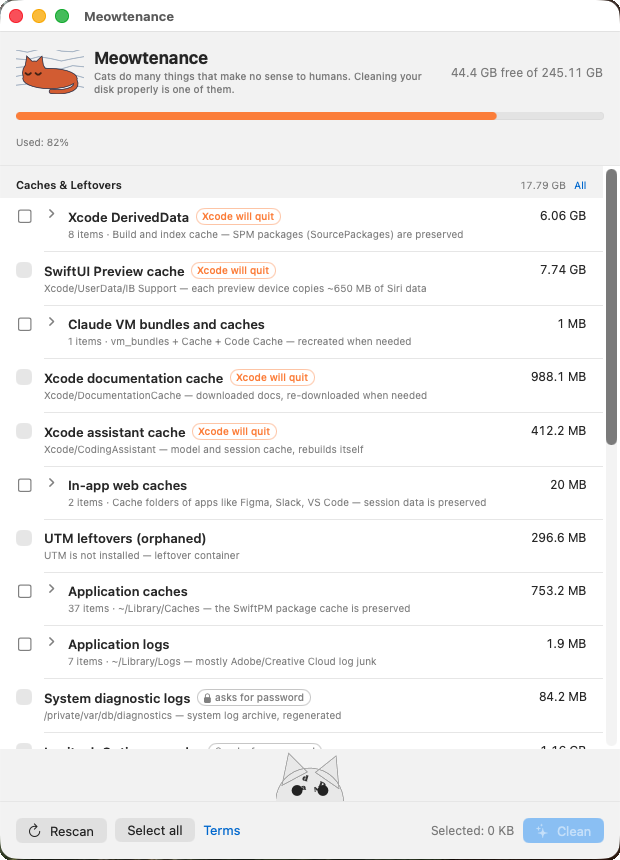
Version 2.3 · macOS 14 Sonoma or later · Apple Silicon and Intel · Signed and notarised by Apple · No account, no telemetry.
Where the space actually goes
Measured on one iOS developer's Mac on 28 August 2026. These are real numbers from a single machine, not an average — your Mac will look different. The free version shows you your own numbers before anything is deleted.
| What | Why it survives | Size |
|---|---|---|
| SwiftUI Preview cache | Each preview device copies ~650 MB of system data | 7.13 GB |
| Xcode DerivedData | Build output across 9 projects | 4.32 GB |
| Simulator symbolication | Inside each simulator, cleanable without deleting the device | 3.44 GB |
| User caches | Never pruned by anything | 2.58 GB |
| In-app web caches | Electron apps: Figma, VS Code, Slack… | 1.28 GB |
| Xcode documentation cache | Re-downloads on demand | 0.92 GB |
| Everything else | Logs, diagnostics, crash reports, package caches | 8.49 GB |
| Simulator devices | Listed separately — deleting one removes the whole device | 22.80 GB |
| Reclaimable | 50.96 GB |
It keeps the part that costs you time
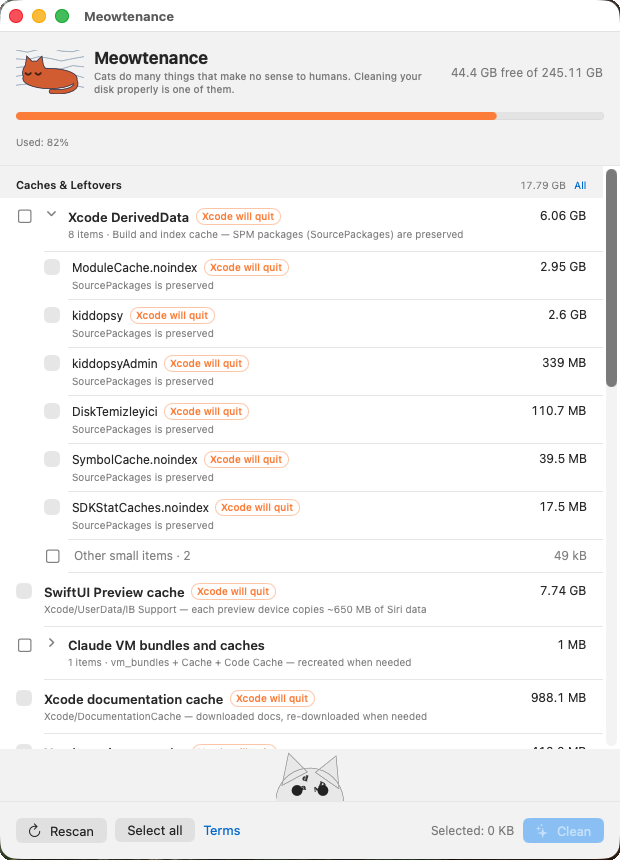
DerivedData holds two very different things. Build output regenerates in minutes. Swift Package checkouts have to come back over the network — and on a slow connection that is the difference between a coffee and an afternoon.
Meowtenance deletes the first and keeps the second. Not just inside DerivedData:
the shared SwiftPM cache in ~/Library/Caches is protected too, so a
general cache sweep can't quietly undo it.
0.62 GB preserved
Global SwiftPM cache left untouched on the machine measured above — bare git clones and binary artifacts that would otherwise be re-fetched.
Per-project, not all-or-nothing
Every project in DerivedData is its own row with its own size. Clear the two you finished last year, leave the one you are working in today.
It tells you the truth about what it deleted
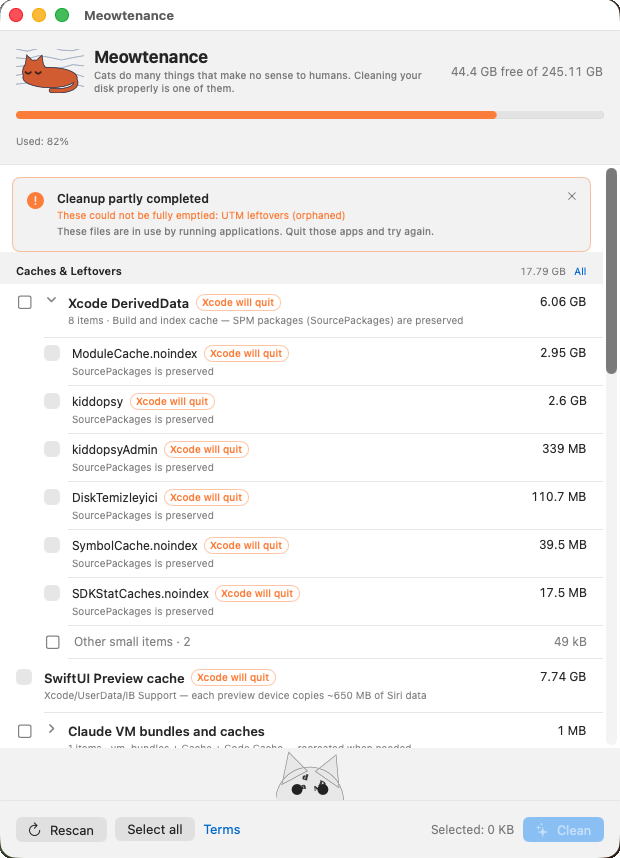
Most cleaners report what they intended to delete. Meowtenance measures the folder again after deleting, compares, and reports the difference.
If another app was holding files open — editors, sync clients and background builds do this constantly — you get "partially cleaned" and the name of the category, not a green checkmark over 2 GB that never went anywhere.
Built to be boring about safety
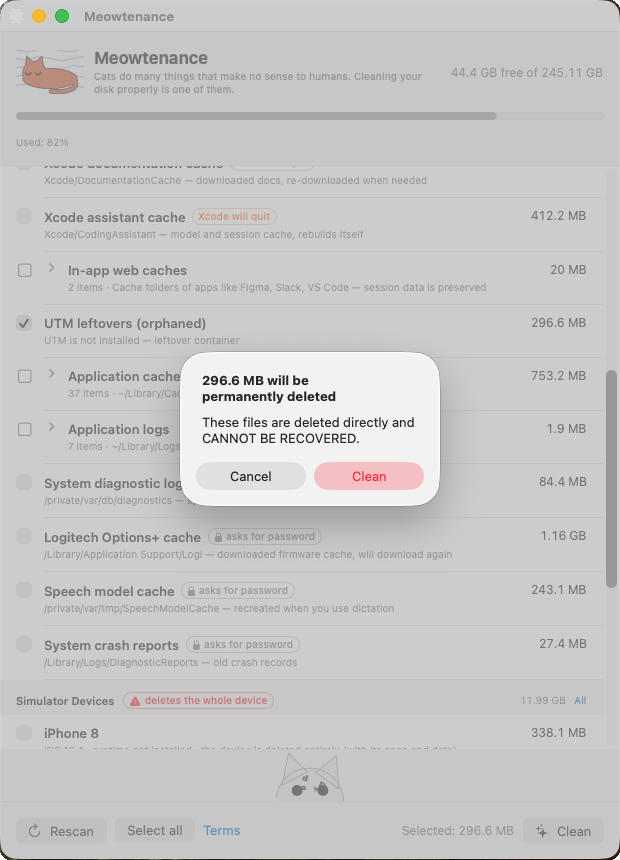
Nothing is pre-selected
The app opens with every checkbox empty. It never decides for you what is disposable.
System folders are allowlisted
Privileged deletion is limited to a fixed list compiled into the app. macOS shows its own password dialog; the app never sees, stores or transmits your password.
Guesses go to the Trash
The optional heuristic scan can surface junk nobody predefined. Those items are moved to the Trash, never deleted outright, so you can put them back.
No network, no telemetry
The app makes no network requests of its own, collects nothing, and needs no account. Everything happens on your machine.
Free and full
One-time purchase. No subscription, no licence server, no account.
Free
Scan everything, clean whole categories.
- Full scan of every category
- Cleans whole categories
- SwiftPM and CocoaPods caches kept unless you tick them
- Heuristic deep scan
- Six languages, switchable in-app
Full version
Pay once for version 2 — including every 2.x update — and keep it for good. Less than the time you lose to one unnecessary package re-download.
- Everything in Free
- Pick items one by one — one project's DerivedData, one iOS version's device support
- Delete simulator devices
- Folder inspection: any folder, largest first
- Every 2.x update included
Try it before you pay. Version 2.3 is signed and notarised by Apple, so it opens without warnings. The free version scans everything and cleans whole categories. When you want to choose exactly what goes, the full version is $14, paid once.
And there are cats
While the app deletes and re-scans, a cat grooms itself. It is drawn from scratch in one of twelve art movements, chosen at random — impressionism, cubism, pop art, constructivism and nine more — with the pool weighted so you keep seeing new ones.
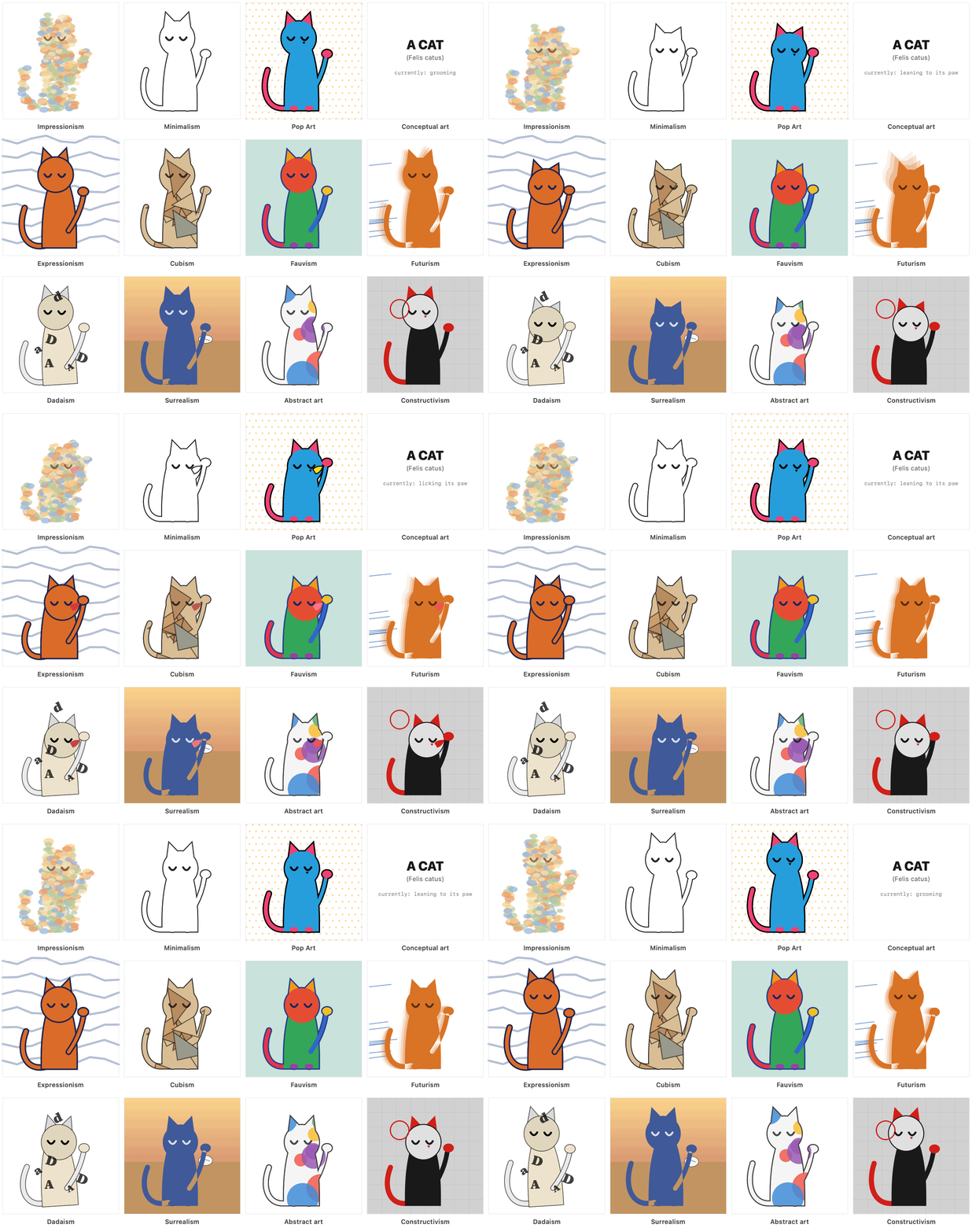
Every cat, and the app icon, is original vector art generated by the app itself. No stock assets, no third-party illustrations, no licensed fonts.